How to use Indeed Apply & screening questionnaire
Indeed Apply
By default, all jobs posted to Indeed via idibu use Indeed's native application form, allowing candidates to apply directly on Indeed using their Indeed profile data for a quick, smooth experience.
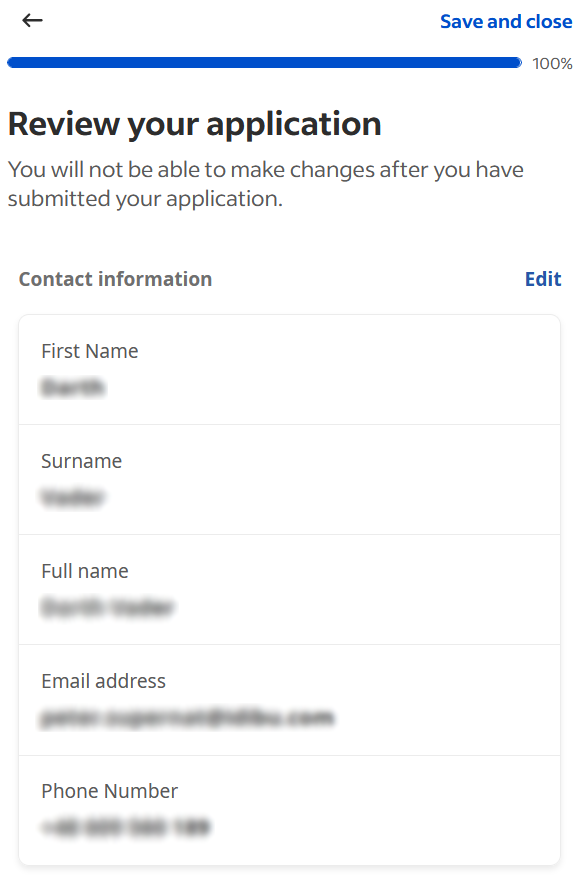
This feature, however, is not supported if your adverts redirect to an external application page.
Using the questionnaire builder
When posting via idibu to Indeed, you can build an extensive questionnaire by defining all possible types of screening questions that Indeed allows. The feature is available in both the standalone version of idibu and the CRM integrations' iframe.
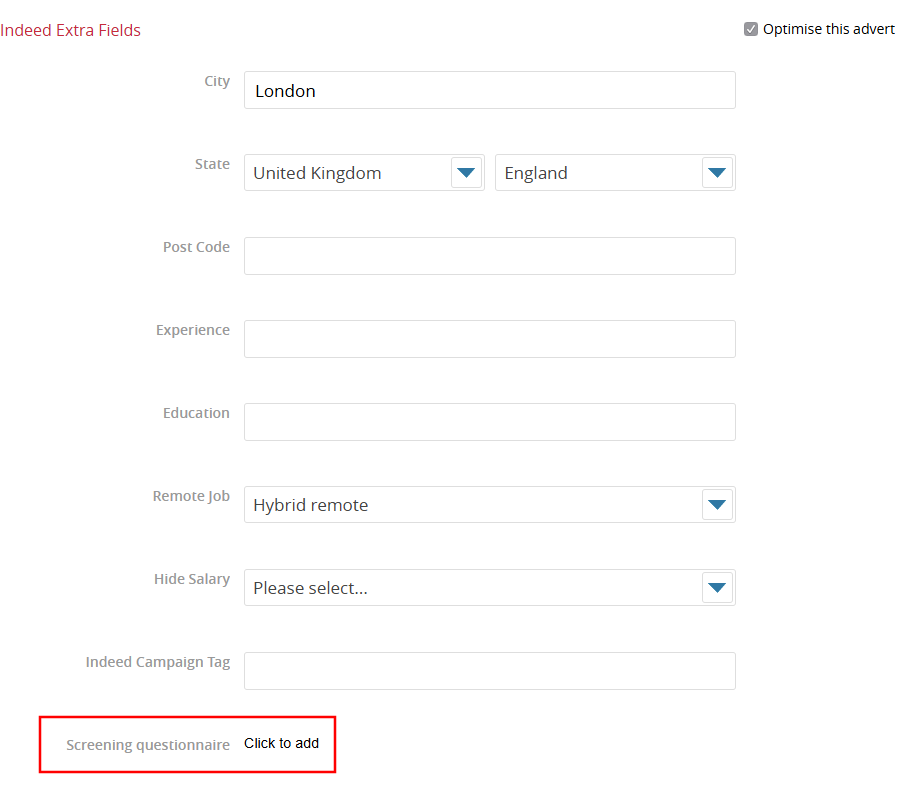
The Screening questionnaire field is always available at the bottom of the Indeed Extra Fields list. As the field is non-required, you need to tick the "Optimise this advert" box to access it:
Once you open the questionnaire, you will be presented with a UI where you can create and organize all your screening questions for the job you're posting:
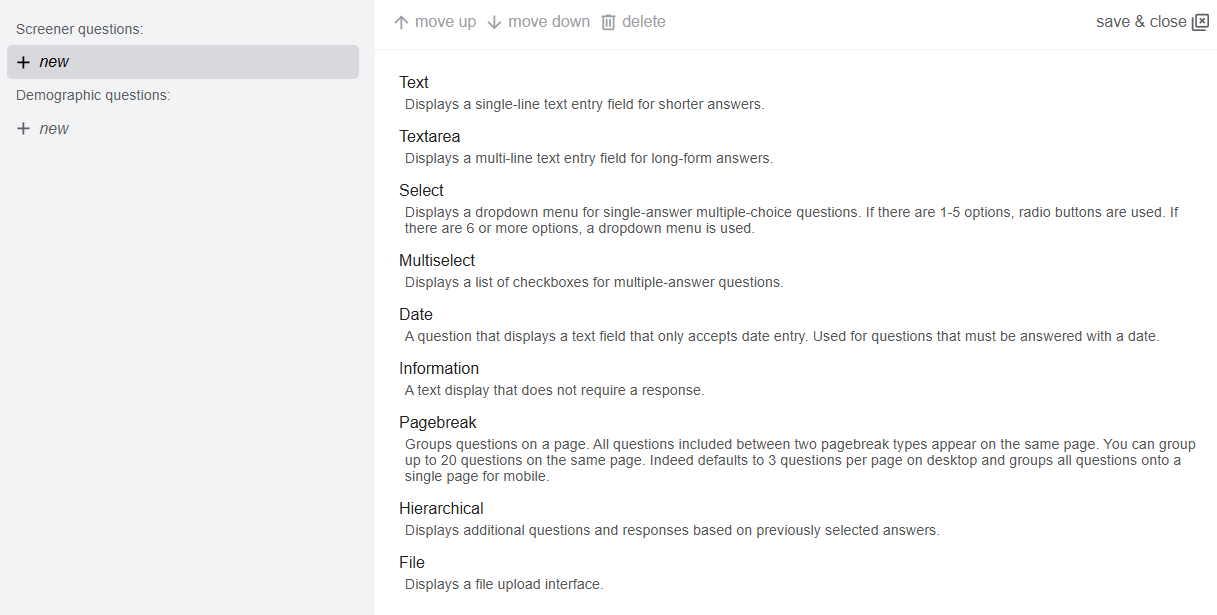
The questions you create are shown on the left-hand side of the builder; the right-hand side will contain the list of possible questions that you can select (when creating a new question) or an interface specific to the selected question's type:
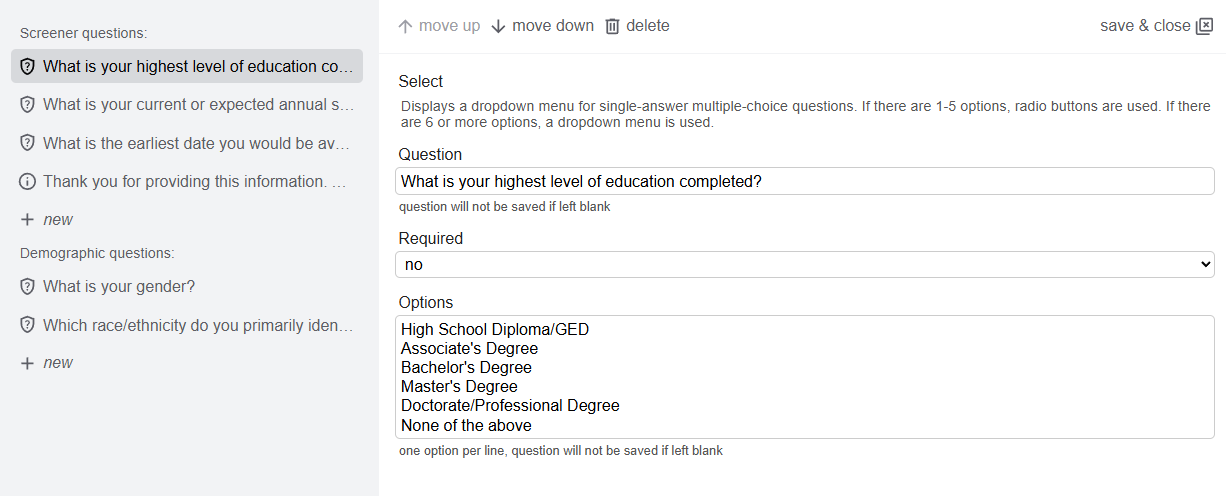
Once ready, click "save & close" in the upper-right corner to exit the questionnaire builder. The field will list the number of questions created and will allow you to re-enter and edit them further:

Note
Currently, the 'knockout' question type (one that will automatically reject the candidate if their answer does not match the expected one) is not supported - we are working closely with Indeed to enable this functionality soon!
Candidates & answers
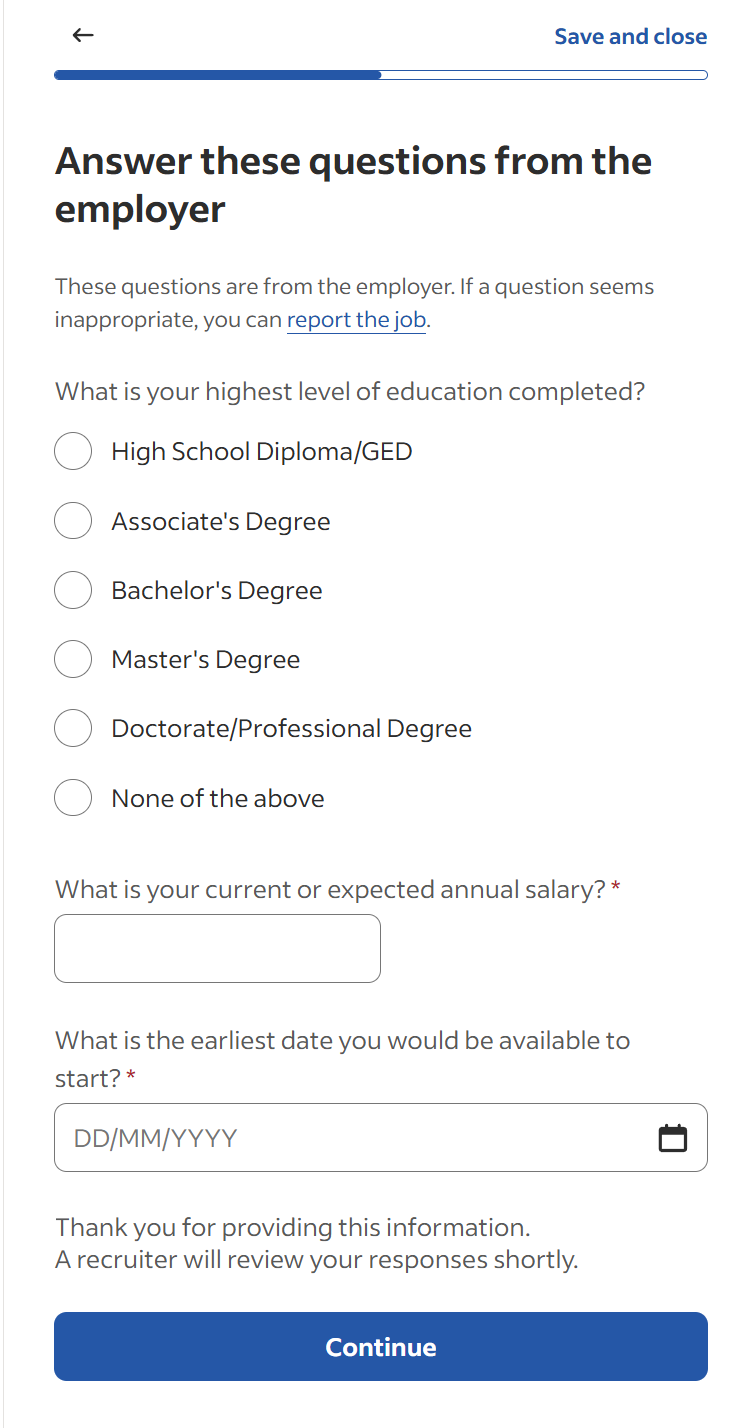
Once you finish the posting and your job appears on Indeed (remember that this can take up to a couple of hours, depending on when Indeed processes and accepts your advert), the questionnaire will show up to any candidate who applies for your job:
If included, Demographic questions will also appear in the final step of the application process:
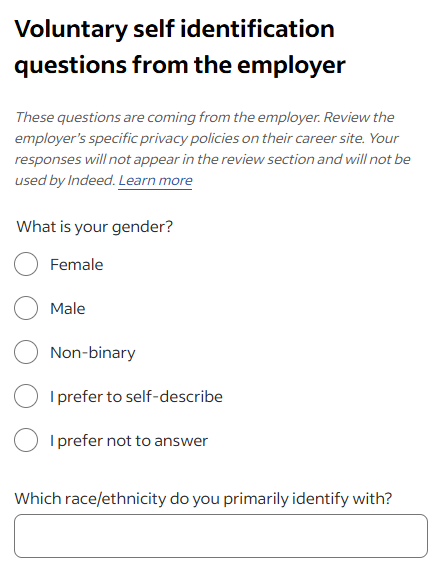
However, answers to this set of questions will never be included in the candidate data that reaches idibu.
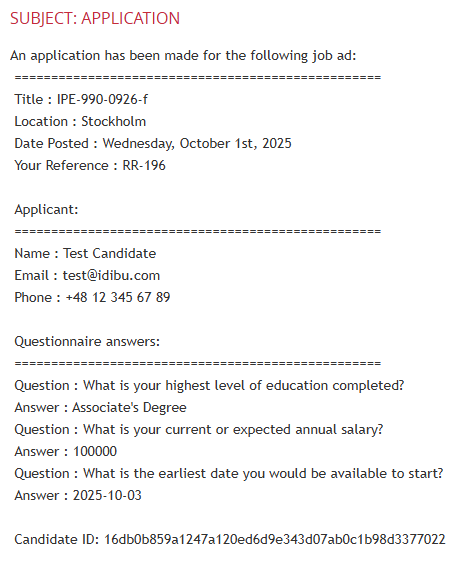
The screenshot below showcases how the Indeed candidate's data - including the screening questions and answers - looks like upon reaching idibu: