
Spott - posting jobs and managing candidates
Before posting your first Job, please ensure that your idibu account is connected to your Spott account by following this article.
Posting adverts through idibu
- In your Spott account, navigate to the Jobs section.
- Open any existing Job and access its Advertising tab at the top.
-
On the right-hand side, click the Post advert with idibu button.

-
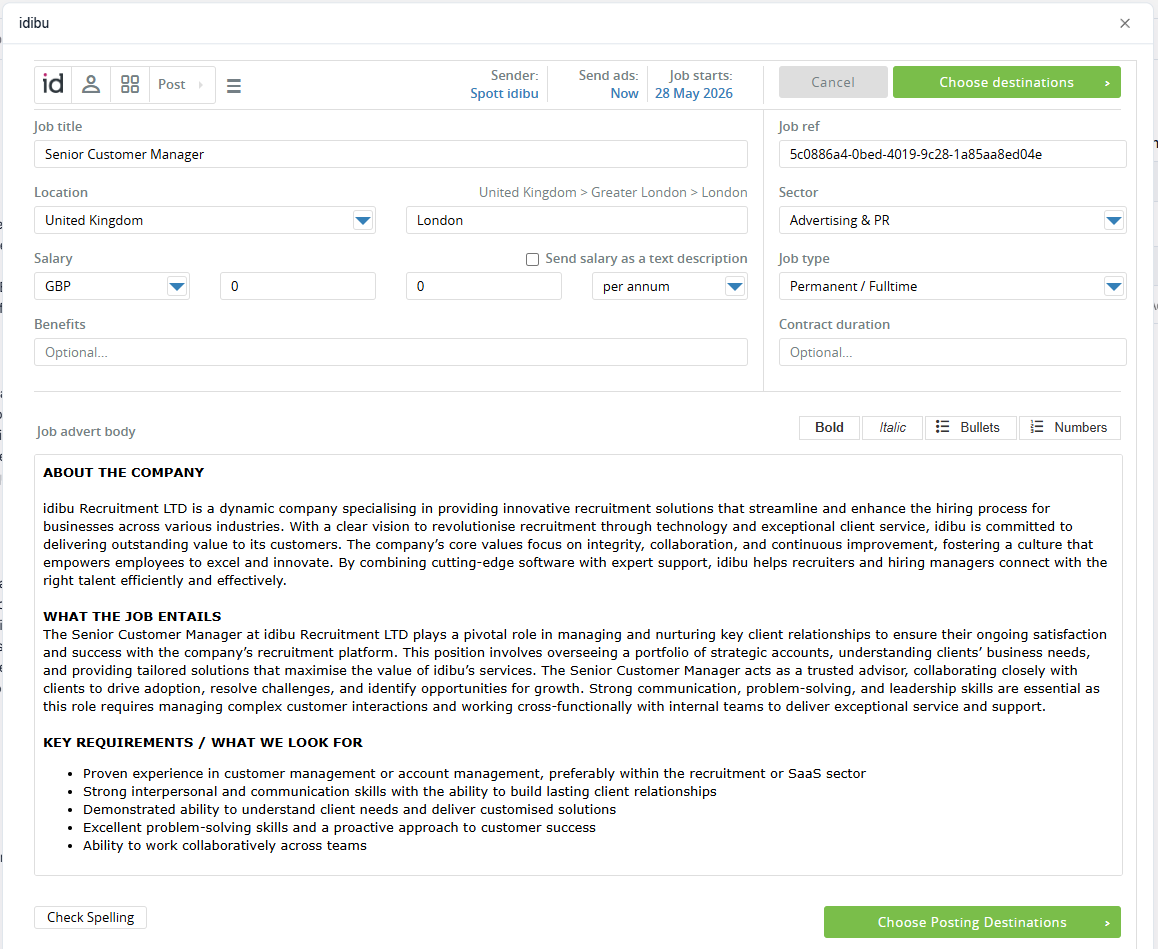
A pop-up window will appear with idibu's job posting interface - from there, you can follow the standard idibu CRM usage.
Note
Please make sure not to change the Job ref in idibu posting form - it is used to connect your Adverts and Candidates to your Spott account.
- Once your Adverts are posted, they will appear under the Job Adverts section of the Job in Spott.
-
Clicking the cogwheel ⚙ symbol next to any Advert in Spott will open the connected idibu Vacancy dashboard in a pop-up window.
Managing idibu candidates
All candidates who apply for your Spott adverts posted via idibu will be automatically pushed to your Spott account - you can then review and process them further under the Applications tab of your Jobs section, same as any other Application item in Spott.